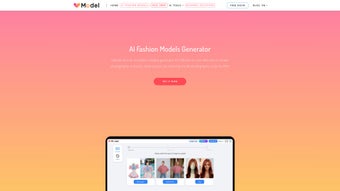

Download VModel – AI Fashion Model Generator for E-Commerce (Free, Secure, Update-Ready)
Discover VModel, the revolutionary AI fashion model generator designed for e-commerce retailers, fashion brands, and online stores. Say goodbye to costly photoshoots and hello to instant, professional-grade model images created in minutes. VModel leverages advanced artificial intelligence to transform your product photos into stunning, lifelike AI model images—without the need for physical models, studios, or travel.
Whether you're scaling your online store or launching new collections, VModel helps you cut photography costs by up to 90% while maintaining high visual quality. With support for multiple demographics and customizable skin tones, body types, and poses, VModel promotes inclusivity and broadens your audience reach. This powerful software is compatible with Windows, Mac, Android, and iOS, making it accessible across devices.
Download VModel today and empower your brand with a fast, secure, and sustainable solution to elevate your product visuals and boost conversions.
Key Features of VModel – AI-Powered Fashion Model Creation
VModel is more than just a tool—it’s a game-changer for digital fashion retailers. At its core, the software uses cutting-edge AI to generate hyper-realistic fashion model images from standard product photos. One of its standout features is instant model rendering. Simply upload a garment, select a pose or setting, and within seconds, VModel delivers a high-resolution image of the model wearing your product. This eliminates the need for lengthy planning, model bookings, and post-production editing—saving you time and money.
Another major advantage is customization and inclusivity. VModel allows you to tailor AI models based on gender, skin tone, body type, age, and ethnicity. This ensures your visual content reflects diverse audiences, helping brands build trust and resonate with global customers. Whether you're targeting urban millennials in Tokyo or eco-conscious shoppers in Berlin, you can create authentic representation without bias or tokenism.
The software also includes batch processing, enabling you to generate dozens of model images at once. This is ideal for brands launching seasonal collections or managing large inventories. With pose variation, you can display the same garment in multiple stances—standing, walking, turning—to give shoppers a 360-degree view of the product. VModel’s background customization lets you place models in studio, street, or lifestyle settings, enhancing storytelling and brand aesthetics.
For developers and tech-savvy teams, VModel offers API integration, allowing seamless embedding into existing e-commerce platforms like Shopify, WooCommerce, and Magento. This means your product pages can automatically update with new AI model images as you add new items. Plus, the platform supports secure cloud storage and automatic updates, ensuring your tools stay current and your data remains protected. With these features, VModel isn’t just a tool—it’s a scalable, future-ready solution for modern fashion retail.
How to Install and Use VModel for Seamless E-Commerce Visuals
Getting started with VModel is simple and intuitive, whether you're using Windows, Mac, Android, or iOS. Begin by downloading the software from the official website. The installation process is smooth and takes less than two minutes. On desktops, you’ll run the installer and follow the on-screen prompts. For mobile users, download the VModel app from the Apple App Store or Google Play Store—both versions are optimized for performance and battery efficiency.
Once installed, launch the app and create a free account. The onboarding wizard guides you through setting up your brand profile, including preferred model demographics, default poses, and image resolution settings. After setup, navigate to the “Create Model” tab. Here, upload your product image—ideally a front-facing shot with clean lighting and minimal shadows. VModel’s AI automatically detects the garment’s shape, fabric type, and fit, then maps it onto a customizable AI model.
Next, choose a model from the library or create a custom one using filters for gender, ethnicity, body type, and age. Select a pose from the built-in library—such as “casual stroll,” “studio shot,” or “active wear”—and pick a background. Click “Generate,” and in under 60 seconds, you’ll have a professional-quality image ready for your website or social media. You can also adjust lighting, shadows, and fabric texture for even greater realism.
For advanced users, VModel offers a drag-and-drop interface and batch generation mode. This allows you to upload multiple product images at once and generate corresponding model shots in a single workflow. After generation, export images in PNG, JPEG, or WebP formats with customizable watermarks. The software also supports direct publishing to Shopify and WooCommerce, streamlining your content pipeline. With regular software updates, VModel continues to improve its AI models, ensuring your visuals stay cutting-edge.
Compatibility & System Requirements – Works on All Major Platforms
VModel is built with cross-platform accessibility in mind, ensuring that fashion retailers, designers, and digital marketers can use it regardless of their preferred device. The software is fully compatible with Windows 10 and later, macOS 11 Big Sur and above, Android 8.0 and newer, and iOS 14 and above. This wide compatibility makes it ideal for teams working across different operating systems or on the go.
On desktops, VModel leverages GPU acceleration for faster rendering, especially when generating high-resolution images. A minimum of 8GB RAM and a modern graphics card (NVIDIA RTX or AMD Radeon RX series) are recommended for optimal performance. However, even systems with lower specs can run the software smoothly for basic use, thanks to efficient AI optimization.
For mobile users, the VModel app is lightweight and designed to handle image processing efficiently. It supports both portrait and landscape modes, making it perfect for quick edits on tablets or smartphones. The app syncs seamlessly with your desktop account via cloud storage, so you can start a project on your phone and finish it on your laptop.
Additionally, VModel integrates with popular e-commerce platforms, including Shopify, WooCommerce, and Magento, enabling direct image uploads and real-time updates. This integration is especially valuable for brands managing multiple online storefronts. The software also supports multi-language interfaces, including English, Spanish, French, German, and Japanese, making it accessible to international teams.
With regular security updates and data encryption, VModel ensures your product images and customer data remain protected. All uploads are processed locally or in secure cloud environments, and no personal data is shared without consent. Whether you're a solo entrepreneur or part of a large fashion brand, VModel delivers a reliable, secure, and future-proof solution for your visual needs.
Pros and Cons of Using VModel – A Balanced Review
- Pros:
- Reduces model photography costs by up to 90%
- Generates high-quality AI model images in under a minute
- Supports diverse demographics and inclusive representation
- Compatible with Windows, Mac, Android, iOS, and major e-commerce platforms
- Offers batch processing and API integration for scalability
- Secure, regularly updated, and cloud-synced across devices
- Cons:
- Initial learning curve for first-time users
- High-resolution outputs require a decent GPU for fast rendering
- AI may occasionally misinterpret fabric drape or complex patterns
- Free version has limited export resolution and watermarking
- Not ideal for extremely complex garments with intricate stitching
Frequently Asked Questions (FAQ) – VModel AI Fashion Model Generator
Can I use VModel for commercial e-commerce stores?
Yes, VModel is designed specifically for commercial use. You can legally use the generated images for product listings, ads, social media, and marketing campaigns without licensing concerns. The software provides a commercial license with all paid plans.
Is VModel free to download and use?
Yes, VModel offers a free version with basic features, including limited image resolution and watermarking. For full access to high-resolution exports, batch processing, and API integration, you can upgrade to a premium plan starting at $29/month.
How long does it take to generate a model image?
On average, VModel generates a high-quality model image in under 60 seconds. The time may vary slightly based on image complexity and your device’s processing power. High-resolution outputs may take a bit longer on lower-end systems.
Can I customize the AI model’s skin tone and body type?
Absolutely. VModel offers a wide range of customizable options, including gender, skin tone, body type, age, and ethnicity. This ensures your visuals are inclusive and representative of your target audience.
Does VModel support integration with Shopify and WooCommerce?
Yes, VModel provides native integrations with Shopify and WooCommerce. You can directly export generated images to your store, and the software automatically syncs with your product catalog for seamless updates.
Conclusion: Why VModel Is a Must-Have for Modern Fashion Retailers
If you're running an online fashion store or brand, VModel is a transformative tool that redefines how you create product visuals. By replacing expensive, time-consuming photoshoots with instant AI-generated model images, you can scale your business faster, reduce overhead, and enhance customer engagement. The ability to customize models for inclusivity not only boosts brand authenticity but also strengthens customer loyalty in a competitive market.
With support for Windows, Mac, Android, and iOS, plus seamless integration with major e-commerce platforms, VModel is built for real-world use. Whether you're a small boutique or a growing fashion label, the software adapts to your workflow and grows with you. The free version offers a low-risk way to test the technology, while premium plans unlock advanced features for serious retailers.
Don’t miss out on the future of fashion retail. Download VModel today and start creating professional, diverse, and cost-effective model images in minutes. Transform your product visuals, accelerate your sales cycle, and stay ahead of the curve with the most innovative AI fashion model generator on the market.



.png)



